Acesso antecipado

Registo de alterações

Novidades e melhorias em toda a Syott, em linguagem simples.

  1. Run every subsidiary from one workspace
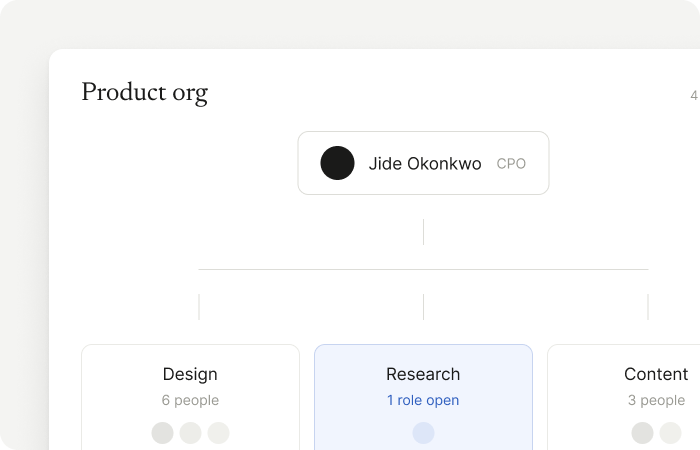
    An org chart spanning several companies in one workspace

    Groups with more than one company can now run them all in a single Syott workspace. Each entity keeps its own people, policies and payroll settings, while leadership sees the whole group in one place.

    • One directory, many entities – everyone is listed once, tagged with the company they belong to.
    • Entity-aware access – roles can be scoped to one company, several, or the whole group.
    • Group reporting – headcount and time off roll up per entity or across the group.
    • Hybrid structures – shared teams can span entities without duplicating anyone.

    Starter includes one entity, Business up to five, and Enterprise is unlimited.

    Compare plans

    • 24
    • 11
    • 7
    • Novo
    • Company OS
  2. Calendar sync comes to the virtual office

    A virtual office with upcoming meetings shown on the rooms

    Connect Outlook or Google Workspace and your meetings appear right inside the office: on the room they are booked in and on the people attending.

    • Rooms that know their schedule – see what is on next before you walk in.
    • Busy at a glance – teammates in a meeting show as busy on the floor plan.
    • Join from the event – jump from a calendar event straight into its video room.
    Take the office tour
    • 31
    • 9
    • 12
    • Novo
    • Virtual office
  3. Approval chains for sensitive access

    An access request waiting for a second approval

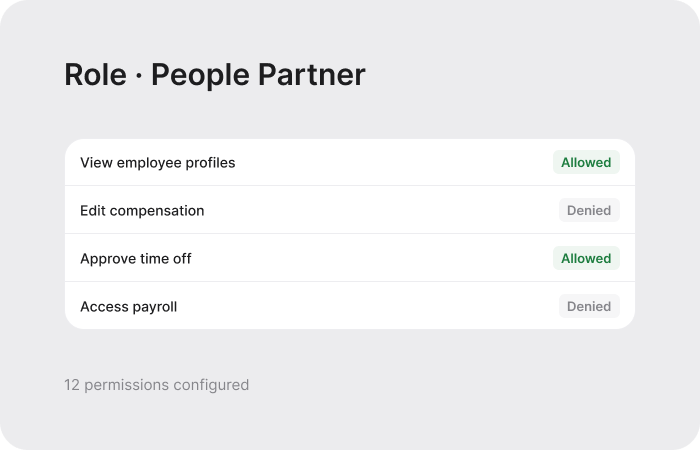
    For the access that really matters, require a second, or third, person to say yes. No sensitive grant gets quietly approved out of a single inbox.

    • Multi-step approvals – chain approvers by role, team or named person.
    • Decisions where you work – approve or decline from email or chat.
    • On the record – every request and decision lands in the audit log.
    Explore access control
    • 18
    • 6
    • 4
    • Novo
    • Access control
  4. Week-one journeys for new hires

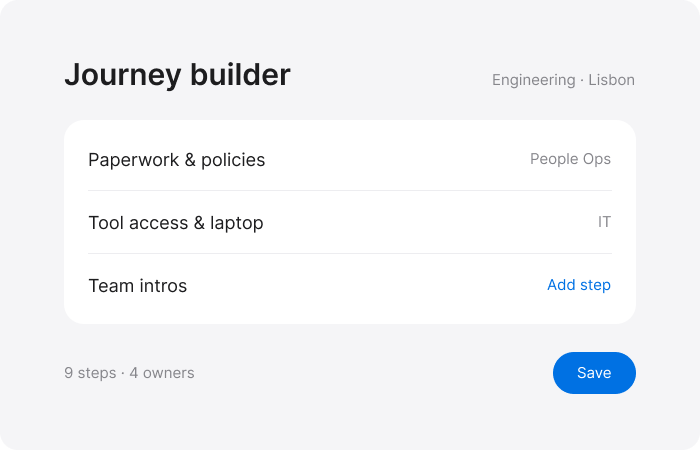
    An onboarding journey with steps for a new hire’s first week

    Onboarding journeys now plan the whole first week, not just day one. Tasks, introductions and equipment are scheduled and assigned before the new hire arrives.

    • Day-by-day plans – spread tasks across the first week instead of one long list.
    • Owners for every step – IT, managers and buddies each see what is theirs.
    • Onboarding health – spot new hires who are falling behind.
    See onboarding
    • 15
    • 8
    • 3
    • Melhorado
    • Onboarding
  5. Timesheets that flow into approvals

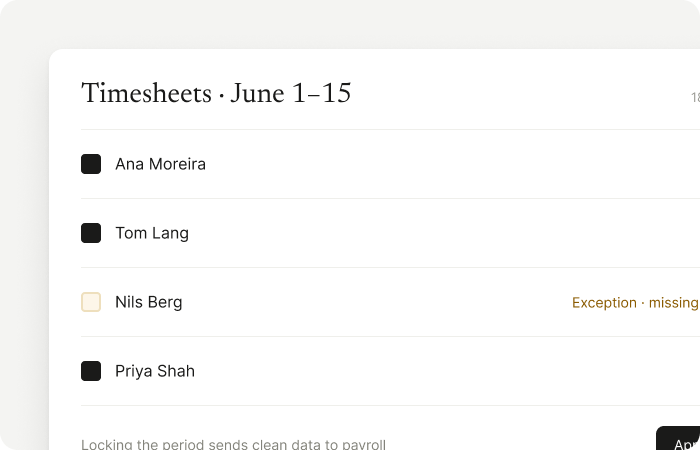
    A weekly timesheet ready for approval

    Submitted timesheets now go straight to the right approver, with hours checked against schedules so the odd ones stand out.

    • Automatic routing – timesheets reach the approver for that team or project.
    • Flags, not surprises – overtime and missing days are highlighted before approval.
    • Fixed – weeks that started on a public holiday now total correctly.
    Learn about time tracking
    • 12
    • 5
    • 2
    • Melhorado
    • Corrigido
    • Time tracking