Early Access

Änderungsprotokoll

Neuerungen und Verbesserungen in ganz Syott, verständlich erklärt.

  1. Run every subsidiary from one workspace
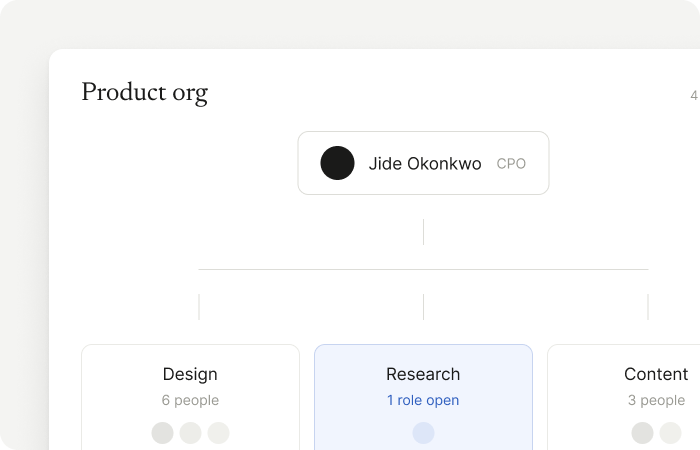
    An org chart spanning several companies in one workspace

    Groups with more than one company can now run them all in a single Syott workspace. Each entity keeps its own people, policies and payroll settings, while leadership sees the whole group in one place.

    • One directory, many entities – everyone is listed once, tagged with the company they belong to.
    • Entity-aware access – roles can be scoped to one company, several, or the whole group.
    • Group reporting – headcount and time off roll up per entity or across the group.
    • Hybrid structures – shared teams can span entities without duplicating anyone.

    Starter includes one entity, Business up to five, and Enterprise is unlimited.

    Compare plans

    • 24
    • 11
    • 7
    • Neu
    • Company OS
  2. Calendar sync comes to the virtual office

    A virtual office with upcoming meetings shown on the rooms

    Connect Outlook or Google Workspace and your meetings appear right inside the office: on the room they are booked in and on the people attending.

    • Rooms that know their schedule – see what is on next before you walk in.
    • Busy at a glance – teammates in a meeting show as busy on the floor plan.
    • Join from the event – jump from a calendar event straight into its video room.
    Take the office tour
    • 31
    • 9
    • 12
    • Neu
    • Virtual office
  3. Approval chains for sensitive access

    An access request waiting for a second approval

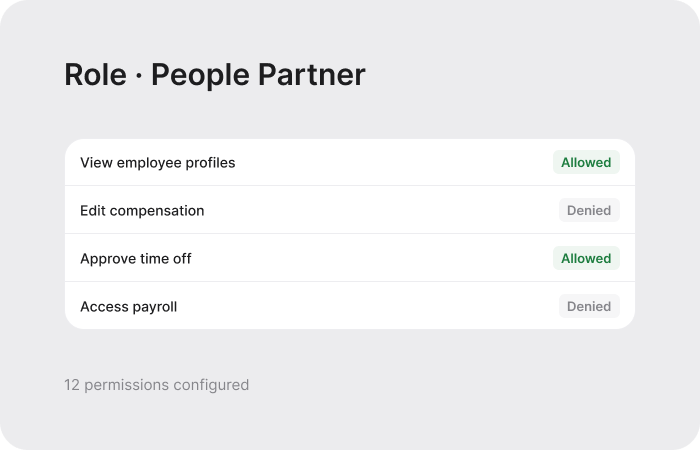
    For the access that really matters, require a second, or third, person to say yes. No sensitive grant gets quietly approved out of a single inbox.

    • Multi-step approvals – chain approvers by role, team or named person.
    • Decisions where you work – approve or decline from email or chat.
    • On the record – every request and decision lands in the audit log.
    Explore access control
    • 18
    • 6
    • 4
    • Neu
    • Access control
  4. Week-one journeys for new hires

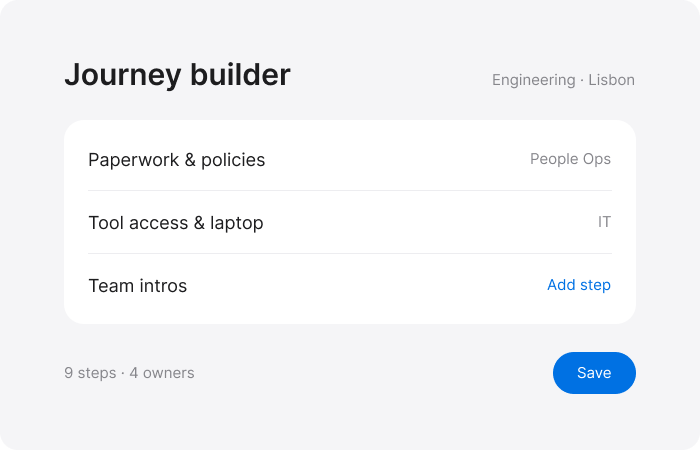
    An onboarding journey with steps for a new hire’s first week

    Onboarding journeys now plan the whole first week, not just day one. Tasks, introductions and equipment are scheduled and assigned before the new hire arrives.

    • Day-by-day plans – spread tasks across the first week instead of one long list.
    • Owners for every step – IT, managers and buddies each see what is theirs.
    • Onboarding health – spot new hires who are falling behind.
    See onboarding
    • 15
    • 8
    • 3
    • Verbessert
    • Onboarding
  5. Timesheets that flow into approvals

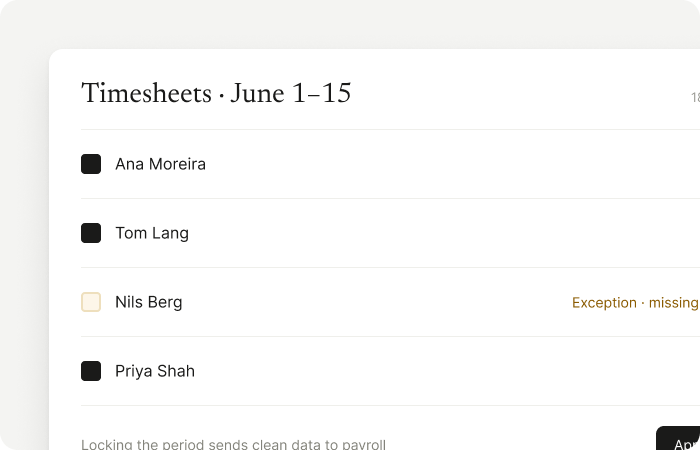
    A weekly timesheet ready for approval

    Submitted timesheets now go straight to the right approver, with hours checked against schedules so the odd ones stand out.

    • Automatic routing – timesheets reach the approver for that team or project.
    • Flags, not surprises – overtime and missing days are highlighted before approval.
    • Fixed – weeks that started on a public holiday now total correctly.
    Learn about time tracking
    • 12
    • 5
    • 2
    • Verbessert
    • Behoben
    • Time tracking